Anthropic, OpenAI, Google, and other LLM developers are all racing to commercialize agents.
An LLM-based agent is an AI application built on top of a large language model that can handle complex tasks — chatbots, function calling, RAG, and more. The AI chatbot market is projected to reach $1 trillion within the next decade. Recent AI agent scenarios from Google, OpenAI, and Apple demonstrate the potential for intelligent agents that can summarize customer messages, automatically schedule events, and recommend music or movies based on mood. Unlike the simple rule-based chatbots of the past, these systems are evolving into AI agents that handle tasks the way humans do.
In this landscape, Microsoft has released Magentic-One, a new framework built on top of their existing AutoGen agent framework.
Magentic-One is a multi-agent system designed to tackle open-ended tasks across web and file-based domains. It was developed to automate and efficiently handle complex tasks that people encounter in their daily lives and work. Multiple agents collaborate to decompose and execute complex tasks, dynamically revising plans as needed.
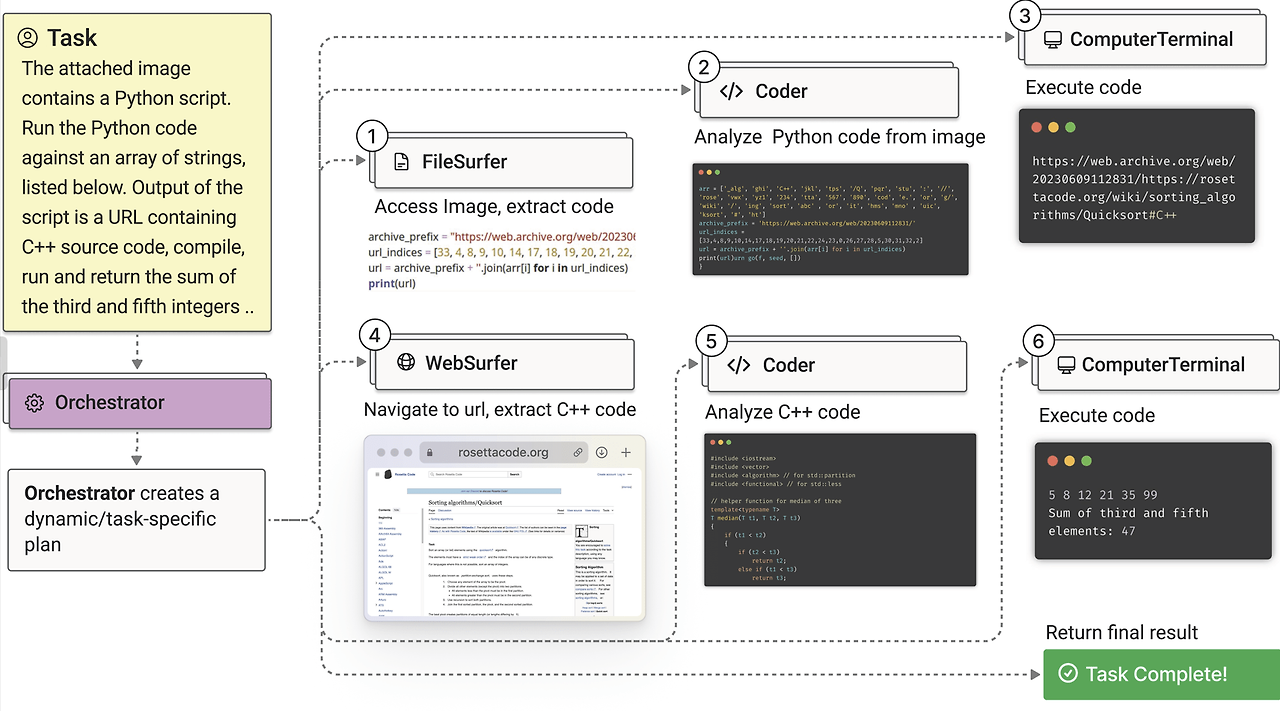
Example tasks handled by Magentic-One
The core of Magentic-One is the Orchestrator agent. This agent establishes high-level plans, assigns tasks to other agents, and tracks overall progress. The Orchestrator manages work through two main loops:
- Outer loop: Updates the Task Ledger and formulates new plans.
- Inner loop: Updates the Progress Ledger and self-reflects on task progress.
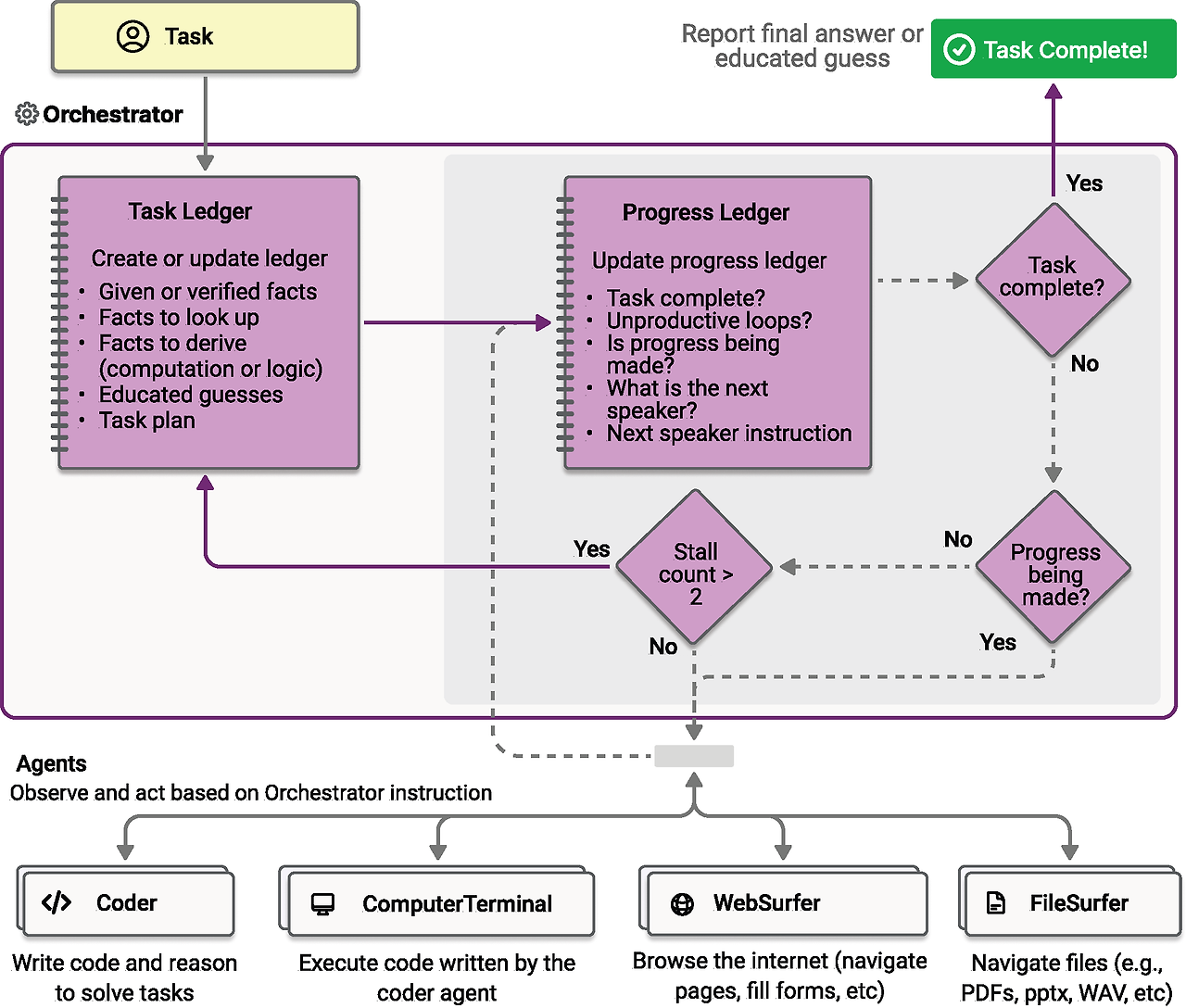
Magentic-One architecture
Beyond the Orchestrator, Magentic-One is composed of several additional agents:
- Orchestrator: The lead agent responsible for decomposing tasks, creating plans, directing other agents, and tracking progress.
- WebSurfer: Controls a Chromium-based web browser to perform web navigation, page manipulation, and information summarization.
- FileSurfer: Handles reading local files and navigating directory structures, providing Markdown-based file previews.
- Coder: Specializes in writing code, analyzing information, and generating new artifacts.
- ComputerTerminal: Accesses a console shell to execute programs written by the Coder and install required libraries.
Installation and Usage
Prerequisites
- Clone the repository and install packages
git clone https://github.com/microsoft/autogen.git
cd autogen/python/packages/autogen-magentic-one
pip install -e .
- Set environment variables
Set the environment variables required for the Chat Completion Client. The system uses OpenAI's GPT-4o model; set a Bing API key as well if needed.
- Install Docker and Playwright
# Docker 설치 후 실행
playwright install --with-deps chromium
- Run the example code
# 로그 디렉토리 지정
python examples/example.py --logs_dir ./my_logs

# 인간 개입 모드 활성화
python examples/example.py --logs_dir ./my_logs --hil_mode

# 브라우저 스크린샷 저장
python examples/example.py --logs_dir ./my_logs --save_screenshots