Claude Code Field Guide for AI Engineers – Part 3
Part 1 covered installing Claude Code and running it from the terminal. Part 2 covered the basic loop: working in a project folder, reviewing changes with Git, and safely delegating tasks to Claude Code.
Part 3 covers how someone with little to no coding knowledge can build a real project with Claude Code. The kind of vibe coding described here isn't about writing code line by line — it's about describing what you want in plain language and building up features together with an AI agent. That said, getting stable results requires a much more deliberate approach than just saying "build it for me."
Claude Code is an agentic development tool that can read a project, modify files, and run commands from the terminal. The Claude Code overview describes it as a command-line tool that understands codebases and helps with development tasks. For beginners, the key isn't coding knowledge — it's the habit of breaking work into small units and verifying each step.

Development work is less about writing a lot of code and more about reviewing small changes one at a time.
1. In vibe coding, "task decomposition" matters more than "prompt skill"
The most common mistake people make when they don't know how to code is asking for a fully finished service all at once. Ask Claude Code to "build something like Instagram," and it can generate a lot of files at once. But beginners will have a hard time verifying whether the result is correct — and when something breaks, they won't know where to start looking.
A project has multiple layers: UI, data, behavior, persistence, and deployment. The less you know about coding, the safer it is to avoid touching multiple layers at the same time. Start by building just the screen, then wire up button behavior, then add data persistence — one step at a time.
Here's the basic sequence I recommend:
- Define the service you want to build in one sentence.
- Decide on the screens a user will actually interact with first.
- Build exactly one small feature.
- Run it and verify with your own eyes.
- Review changed files with
git diff. - Move on to the next feature only if things look good.
This may look slow to an experienced developer. But for someone who doesn't know how to code, it's the fastest approach. Building too much at once, without fully understanding what was generated, makes future changes far more expensive.
2. Before starting a project, write a one-page spec
Before you type "build me an app" into Claude Code, write up a project description first. It doesn't need to be elaborate — in fact, it should be short and clear.
For a beginner's project spec, the following is enough:
- Project name
- Who the service is for
- What the user sees on the first screen
- Three features that are absolutely required
- Features you will NOT build yet
- Visual style and tone
- Sample data
For example, if you're building a to-do app, you might write something like this:
Project name: simple-todo
Goal: Build a web app for a non-technical individual user to manage their daily tasks.
First screen: Shows a to-do list, an input field, and an Add button.
Required features:
1. Add a to-do item.
2. Mark a to-do item as complete.
3. Delete a to-do item.
Features excluded from this version:
- Login
- Sharing with others
- Mobile app deployment
Design: White background, large text, buttons that are clearly visible.
Sample data:
- Write a blog post
- Go grocery shopping
- Work out
Even this much helps Claude Code understand what to build far more accurately. The "features excluded from this version" section matters most. The more features you pack into a beginner project, the higher the odds of failure.
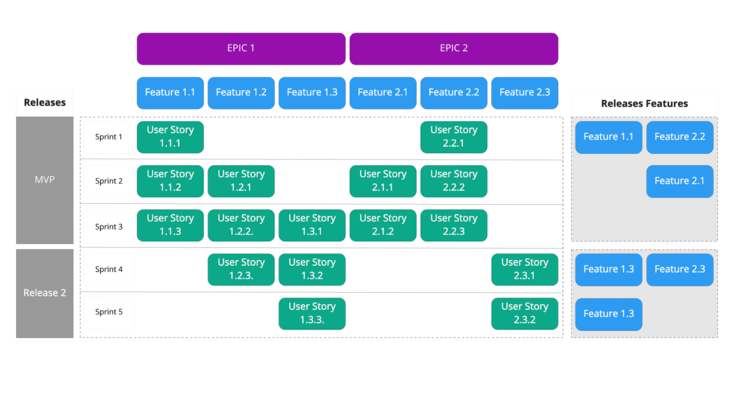
For a beginner project, defining scope and order before implementation is what keeps things stable.
3. Your first request should be "plan it" — not "build it"
Once Claude Code is open, don't hand off file modifications on the very first prompt. Start by asking only for the project structure and an implementation plan. The Claude Code common workflows page highlights the same recurring cycle: understand the codebase, make changes, test, and commit.
Here's an example of a good first prompt:
This project is a simple to-do web app for someone who doesn't know how to code.
Don't modify any files yet — just give me the following:

1. Which files I should look at
2. The safest order to build things in
3. What the smallest first feature to implement would be
4. What commands I should run to see results

I'm a beginner, so please explain everything in plain language.
The critical part of this prompt is "don't modify any files yet." Beginners need to first verify that Claude Code understood the project correctly. If the plan is too ambitious or hard to follow, scale it back before any implementation begins.
After receiving the plan, narrow the scope like this:
Good. For now, let's leave out login and data persistence.
First, just make the screen show a to-do list, an input field, and an Add button.
Before modifying any files, tell me which files you'll be changing.
Framing requests this way keeps the change surface small. The smaller the change, the easier it is for a beginner to verify the result.
4. Beginners should request only one feature at a time
The most important rule in vibe coding is: hand off exactly one feature per session. That feature should represent a small, visible change the user can verify on screen.
A good request looks like this:
Add a text input field and an Add button.
When the user types something and clicks Add, it should appear in a list below.
Don't add persistence yet.
Also tell me how to run it after you make the changes.
A bad request has too broad a scope:
Finish the to-do app.
Make it look nice, save data, and handle login too.
Beginners should be careful with the word "finish." It feels natural to say, but it gives the agent an undefined scope. Instead, describe one visible, verifiable action at a time.
After implementing one feature, don't immediately ask for the next thing. Run the app, verify it with your own eyes, and review the changes:
git status
git diff
git status shows which files changed. git diff shows exactly what changed in the code. You don't need to understand every line — but you can spot whether too many files changed, or whether files completely unrelated to the feature were touched.
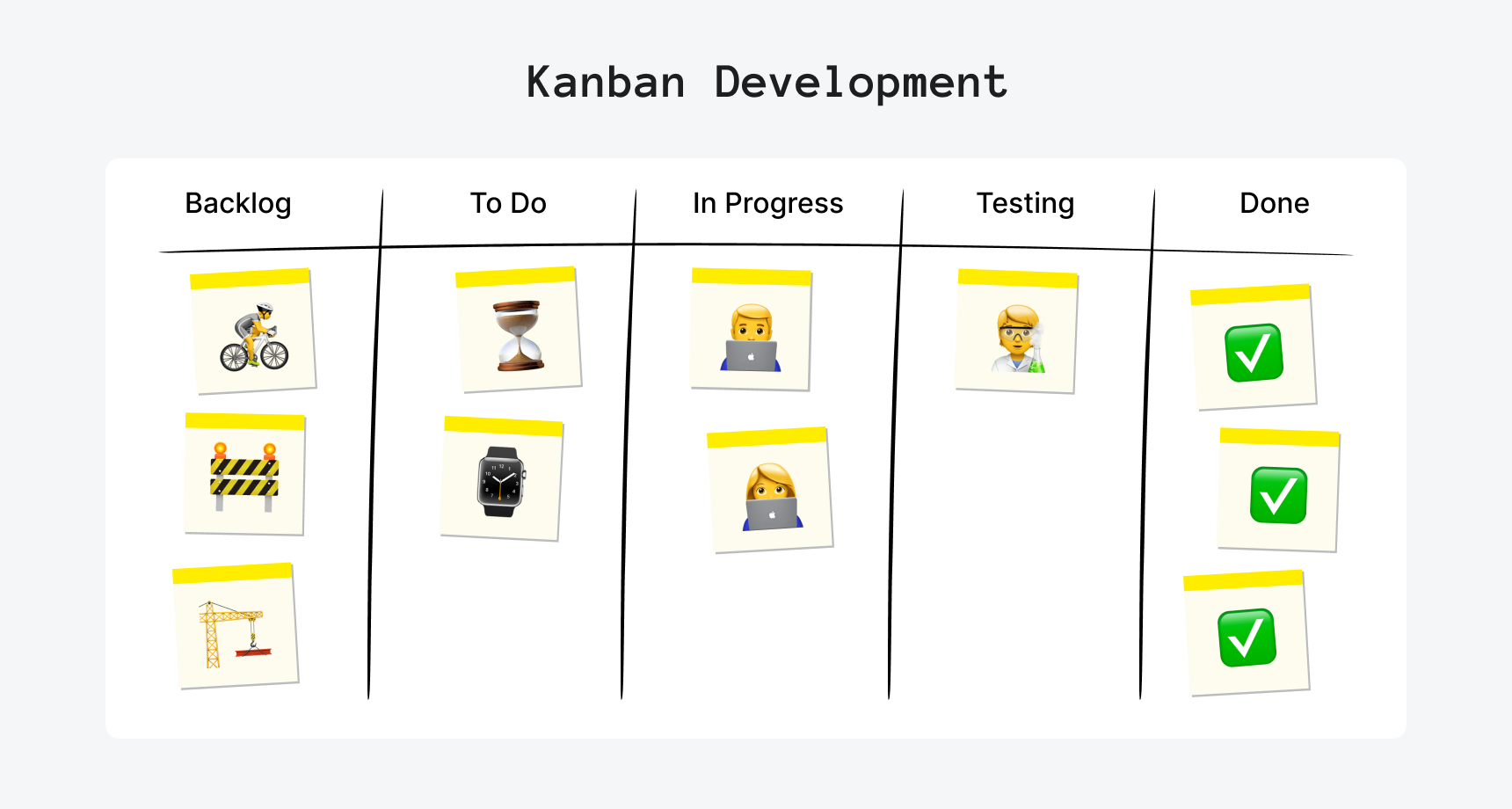
Breaking features into small units makes it much easier to verify Claude Code's changes.
5. Copy and paste error messages exactly as they are
When beginners hit an error, the worst thing they can do is paraphrase it. Describing it as "some red error showed up" makes it hard for Claude Code to narrow down the cause. Copy the exact error text from the terminal and paste it in.
Use this format when reporting an error:
I just ran it and got the error below.
Don't modify any files yet — explain what's causing this in plain language.
If a fix is needed, tell me which files you'll change before doing anything.

Error message:
[paste the full terminal error here]
Don't hand off the fix immediately either. Have Claude Code explain the cause first, confirm which files will be touched, then proceed. Be especially careful with requests involving dependency installation, config file changes, or data deletion.
Even if the error is long, paste all of it. Trying to fix an error from only the first line often means missing the real cause. Terminal logs frequently include the failed command, file paths, line numbers, and package names — all of which matter.
6. Request "a specific screen layout," not "make it look nice"
Design requests in beginner projects tend to be vague. "Make it look nice" means different things to different people. Give Claude Code verifiable criteria — colors, spacing, font sizes, button shapes, layout — instead of a mood.
This request is too vague:
Make the design look nicer.
This request is more actionable:
Clean up the design of the first screen.
Requirements:

- Center the content and limit the overall width so it's not too wide.
- Make the title text large and prominent.
- Put the input field and Add button on the same line.
- Make each to-do item visually distinct, like a card.
- Use a white background with blue buttons as the primary color scheme.
- Only change styles — do not change any functional behavior.
That last line — "only change styles — do not change any functional behavior" — is important. When a design-only change accidentally breaks existing behavior, beginners have a hard time figuring out why.
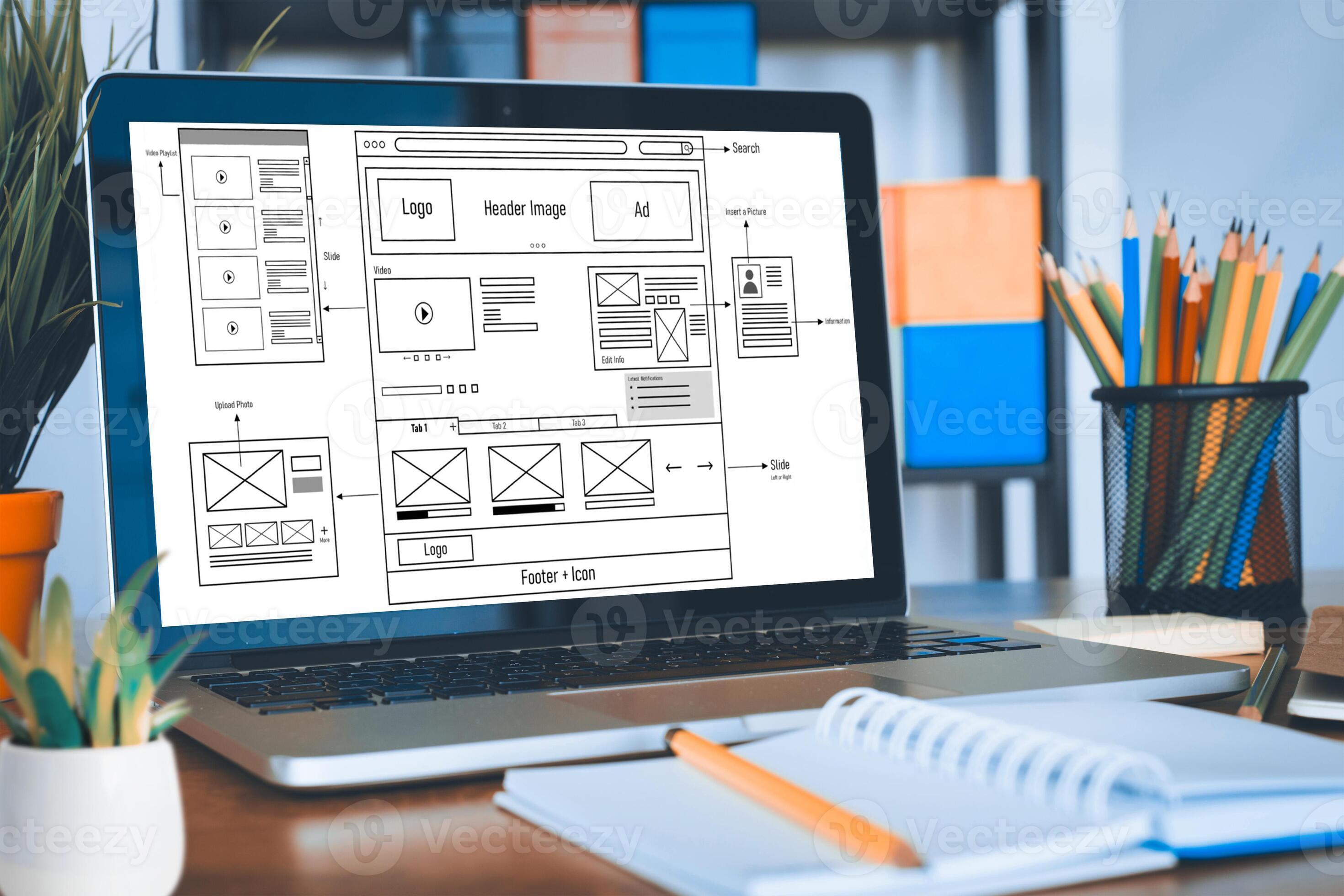
Design requests work better when written as verifiable conditions — layout, color, size — rather than a vibe.
7. Add persistence last
Connecting a database from the very beginning dramatically increases complexity for someone without coding experience. It brings along login, access control, table schema, APIs, environment variables, and deployment configuration. Start with something that only runs in the browser.
For a to-do app, the recommended order is:
- Show sample to-do items on screen.
- Add typed to-do items to the on-screen list.
- Wire up complete and delete.
- Test thoroughly with data that disappears on page refresh.
- Then consider local storage or a database.
An app that loses data on refresh can feel incomplete. But for a first learning project, that's actually a feature, not a bug — it lets you fully validate the UI and behavior before adding the persistence layer.
Even when you do add persistence, you don't have to jump straight to a database. Using the browser's local storage first is simpler. That said, if the project involves sensitive data — user accounts, payments, personal information — security and backup need to be designed separately from the start.
8. Leave project rules for Claude Code in CLAUDE.md
Any rule you find yourself repeating belongs in CLAUDE.md. The Claude Code memory documentation explains how to store per-project instructions using this file. For beginners, think of it as the place to write down "the working rules I'd otherwise have to tell Claude Code every single session."
Here's an example CLAUDE.md for a beginner project:
# Project Working Rules

- The user is a coding beginner — all explanations should use plain language.
- Do not build large features all at once.
- Before modifying any files, explain which files will change.
- Do not build login, payments, deployment, or database features unless the user explicitly asks.
- Do not mix feature changes and style changes in the same step.
- After making changes, provide the command to run the app and instructions for verifying it.
- If there are test or build commands, run them after making changes.
A well-written CLAUDE.md stabilizes the workflow over time. Rules like "do not build large features all at once" and "explain which files will change before modifying them" are especially important for beginners.
9. Evaluate permission requests by asking "what exactly is changing?"
Claude Code may ask for permission during file modifications or command execution. Beginners often default to approving everything, but at a minimum, you should understand what the request is actually doing.
Actions that are generally safe to approve:
- Modifying source files within the current project
- Modifying style files
- Running test commands
- Running lint commands
- Running build commands
Actions that warrant more caution:
- Modifying files outside the project directory
- Bulk file deletion
- Modifying environment variable files
- Installing large numbers of dependencies
- Initializing a database
- Changing deployment-related configuration
- Running commands that require elevated privileges
If you're unsure, don't approve — ask first:
Explain exactly what this permission request does, in plain language.
Also tell me which files in my project will be affected.
Tell me how to judge whether this is safe for a beginner to approve.
Clicking the approve button matters just as much as the code being written. For beginners especially, treat each permission request as a checkpoint to verify scope before continuing.
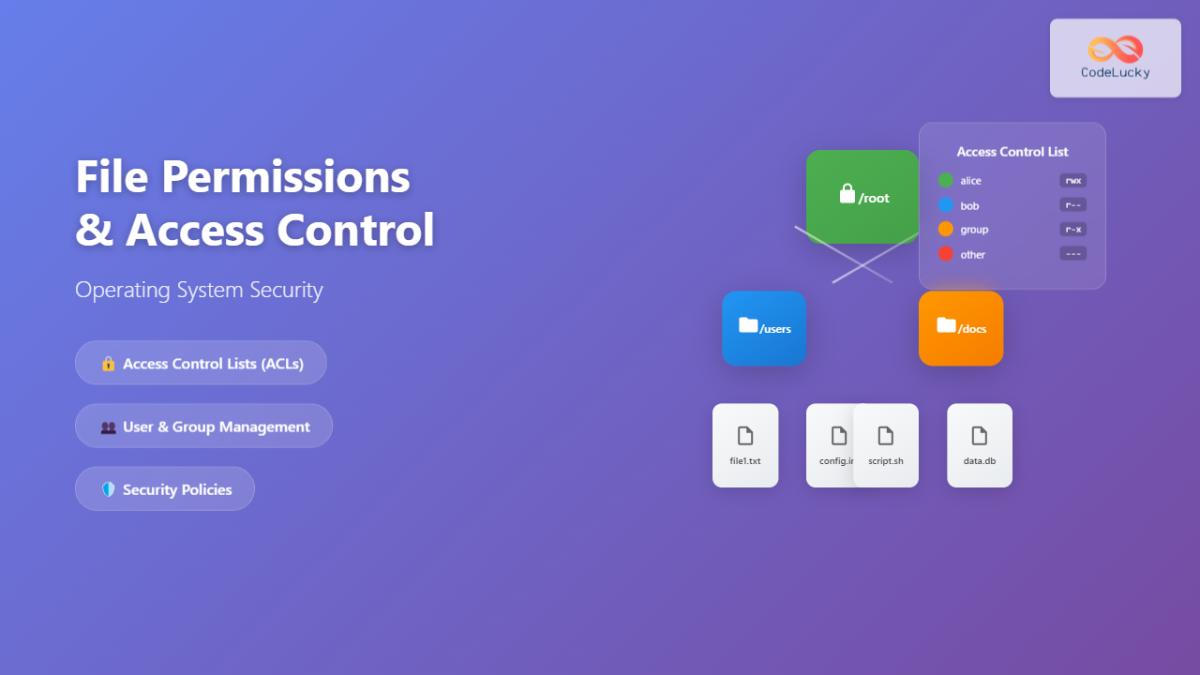
Treat permission requests as a checkpoint for verifying change scope — not just a button to click.
10. Use slash commands as a "stop and regroup" button
Claude Code has slash commands that control conversation flow and task execution. The slash commands documentation explains built-in and custom commands. For beginners, rather than memorizing many commands, think of them as a way to pause and get organized when a session runs long.
To start, you only need to use them in these situations:
- You want a summary of what's been done so far
- You want to reframe and plan the next task
- You're reusing the same request template repeatedly
- The conversation has gotten long and the context feels muddled
As a conversation stretches on, the agent can start conflating earlier requirements with current ones. Before adding a new feature, have it summarize the current state:
Summarize everything that's been changed so far in a way a beginner can understand.
Also give me a separate list of features that are currently working versus features that don't exist yet.
Don't modify any files.
Getting that summary before moving on to the next feature keeps the workflow stable.
11. The right first projects for beginners
If you start with a complex service, it's hard to validate what Claude Code produces even after the code is written. A good first project has simple state, shows results immediately on screen, and works without external APIs.
Recommended first projects:
- To-do manager
- Reading log
- Expense tracker
- Workout checklist
- Fridge inventory notepad
- Blog post idea vault
- Travel packing checklist
There are also topics to avoid as a first project:
- Payment services
- Login-based communities
- Automated stock trading
- Services requiring high accuracy — medical, legal, tax
- Services that store large amounts of personal data
- Real-time services with multiple concurrent users
This isn't to say those are bad ideas. They just have too many things to validate for a first project. Beginners are better off starting with a personal-use tool where results show up on screen immediately.
12. Project Templates
The templates below can be copied verbatim when building a project with Claude Code, even with no coding background.
12.1 Adding a new feature
I want to build exactly one feature in this session.

Feature:
Describe the feature in one sentence here.

Constraints:
- Do not change any existing functionality.
- Do not modify files unrelated to this feature.
- Before editing anything, list which files you plan to change.
- After the changes, tell me what command to run and how to verify it worked.

I'm a beginner, so please explain any technical terms in plain language.
12.2 Changing only the design
This session is for design changes only.
Do not alter any functional behavior.

Desired design:
- List colors, layout, font sizes, spacing, etc. here.

Before making any changes, tell me which files you will modify.
After the changes, tell me what to look for on screen to confirm it worked.
12.3 Fixing an error
The following error has occurred.
Do not modify any files yet — first explain what's causing it.
If a fix is needed, tell me which files will change.

Command I ran:
Paste the command here.

Error message:
Paste the full error output here.
12.4 Wrapping up a session
Before we finish this session, give me a summary.

1. What functionality was added
2. Which files were changed
3. Commands I should run to verify everything works
4. Any remaining risks or things to watch out for
5. One feature worth building next

Do not modify any files — just give me the summary.
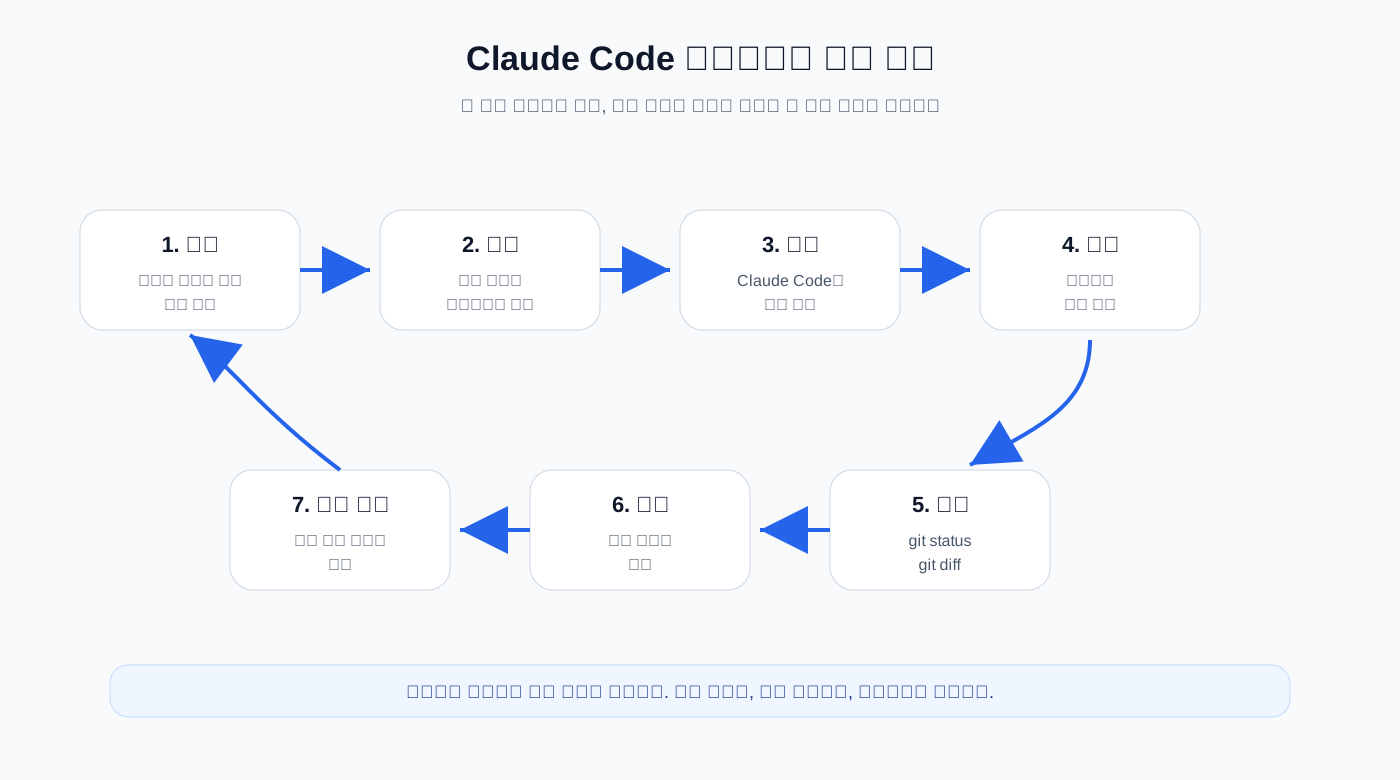
The basic loop: plan → request → implement → run → review → save. Repeat.
13. A One-Day Practice Scenario
If you're building your first project with no coding background, keep the scope to something you can finish in a single day. The flow below uses a to-do app as the example, but it applies equally to a reading log or an expense tracker.
Step 1 — Define the project goal. Write down the app name, the first screen, exactly three required features, and what you're explicitly leaving out. You can save this as PROJECT_PLAN.md in your project folder.
Step 2 — Ask Claude Code for a plan only. Don't touch any files yet. Have it lay out the implementation order and identify the first task.
Step 3 — Build the skeleton UI. A title, an input field, a button, and a list area is enough. Do not implement saving yet.
Step 4 — Add one piece of interactivity. Typing in the input field and pressing the button should add an item to the list. That's enough for this step.
Step 5 — Add either completion-marking or deletion — not both. Request only one at a time.
Step 6 — Polish the design. Keeping design and functionality as separate sessions makes it much easier to track down bugs.
Step 7 — Review and commit. Run git status and git diff to inspect what changed. If everything looks right, commit.
git status
git diff
git add .
git commit -m "Create basic todo app"
Getting this far is more than enough for a first vibe-coding project. The goal isn't to ship a fully featured service — it's to build the muscle memory of requesting a small change, verifying it, and saving it.
14. Summary
You can absolutely start vibe-coding with Claude Code and zero coding knowledge. That said, keeping a project stable requires breaking requests into small pieces, reviewing the plan before implementation, and continuously verifying both the running output and the diff.
The most important rules for beginners:
- Request one feature per session.
- Get a plan first, before any code is written.
- Describe the screen concretely instead of saying "make it pretty."
- Paste error messages in full — don't summarize them.
- Add persistence, login, and deployment later.
- Confirm what a permission request will change before approving it.
- Keep project-level rules in
CLAUDE.md. - Run the app and check
git diffafter every step.
Vibe-coding isn't about handing everything off to AI. It's about the person setting the direction and the standards, while the AI handles the implementation. The less coding experience you have, the smaller your requests should be and the more often you should verify. Follow that rhythm and Claude Code is a powerful enough tool to carry you through your first project.